How to Organize Your Personal Prompt Library
Set up a personal prompt library that you will actually use: what to save with each prompt, a naming and tagging system, versions, reusable blocks and reviews.
Visual AI Club7 мин чтения
Этот гайд написан на английском.
Three months into making AI images, most people have the same problem: a prompt that worked beautifully is buried in an old chat, a screenshot folder or a note titled new new final. This guide shows you how to build a small, searchable library in about half an hour, so you can find a working prompt in seconds and improve it instead of starting over.
Save the result and the context, not just the words
A prompt on its own is half a record. The same words can produce very different results depending on the tool, the reference image you uploaded and the aspect ratio you picked. Six weeks later you will not remember any of that. A useful library entry captures enough to reproduce the result, and enough to know why it worked.
| Field | Example | Why you need it |
|---|---|---|
| Name | portrait_window-light-film_v3 | Lets you find and sort entries at a glance |
| Prompt text | The full prompt, exactly as sent | Small wording changes matter; never paraphrase |
| Result image | The best output, plus one failed one | You judge prompts by images, not by text |
| Tool | ChatGPT image generation, Midjourney, Seedance | The same prompt behaves differently across tools |
| Inputs | Own selfie, front-facing, daylight | Reference images change everything; note what kind worked |
| Format | 4:5 vertical | Composition depends on aspect ratio |
| Notes | Works best with indoor photos; skin gets too warm outdoors | The most valuable field, and the one people skip |
| Date | 2026-10-21 | Tools change; dates tell you which results may be outdated |
The notes field is where your library becomes yours. Write what you would tell a friend: this works for faces but ruins hands, add no text if it starts writing letters, the second sentence is the one that matters. Those notes are what separate a personal library from a pile of copied prompts.
Save one failure next to each success. Seeing the bad result reminds you which part of the prompt prevents it, so you do not delete that part later thinking it is unnecessary.
Pick a home you already open every day
The best tool for a prompt library is the one you will actually use when you are in the middle of making something. Fancy systems get abandoned. Here are the common options and what they are good at.
- A folder of plain text or Markdown files, one file per prompt, with the image saved beside it under the same name. Works everywhere, never locks you in, and searches instantly with your computer's file search.
- A spreadsheet with one row per prompt and a column per field. Good for sorting, filtering by tag and seeing many prompts at once. Weaker at showing images.
- A notes app with tags and image support. Good balance for people who work on phone and computer. Check that it can export your notes, so you are not stuck if you switch.
- Favorites on a prompt site. Saving prompts on Visual AI Club or similar libraries is fast, but keep your own copy of anything you modify, with your notes.
Whatever you choose, use one home. Two half-maintained libraries are worse than one simple one, because you never know where to look.
Keep images and text side by side
Store each result image with exactly the same base name as its prompt file, for example portrait_window-light-film_chatgpt_v3.txt and portrait_window-light-film_chatgpt_v3.png. Your file browser then lists them together, and a gallery view of the folder becomes a visual index of your whole library. When you scroll looking for that soft blue evening look, you will recognize the image long before you remember any words in the prompt.
Name things so they sort themselves
A consistent naming pattern turns a long list into something you can scan. Put the most important information first, use lowercase and hyphens, and avoid words like final, best or new, which stop being true the moment you improve something.
cool portrait prompt FINAL (2).txt
portrait_window-light-film_chatgpt_v3.txt
The pattern here is category, short description, tool, version. Sorted alphabetically, all portraits group together, and within them all window-light variations sit side by side. You can adapt the order, but keep it the same for every entry.
Tag lightly, with a fixed vocabulary
Tags are useful until you have two hundred of them. Then cinematic, cinema, film-look and moviestyle all mean the same thing and none of them finds anything. Decide your tag list in advance, keep it short, and add a new tag only when you have at least three prompts that need it.
- Subject: portrait, couple, group, product, landscape, pet, character.
- Style: photoreal, film, illustration, 3D, toy, paper, pixel, line-art.
- Use: profile, post, story, carousel, print, client.
- Input: text-only, own-photo, product-photo, video-reference.
Three or four tags per entry, one from each group, is plenty. When you need the right prompt for a client's product carousel, filtering by product plus carousel gets you there in one step. The tag groups on Visual AI Club prompts, like portrait, illustration or 3d render, can be a starting point, but keep yours tuned to how you work.
Keep versions, and write down what changed
Good prompts evolve. You add a lighting line, remove a style word, lock the aspect ratio. If you overwrite the old version each time, you lose the ability to go back when a change turns out to break something else. Keep versions as separate entries or separate files, and add a one-line change note at the top of each.
v3 (2026-10-21): added soft window light from the left and 50mm lens. Faces less flat; still too warm outdoors. v2: removed the word cinematic, which kept adding lens flares. v1: original from the library.
This mirrors how photographers change one setting at a time and keep notes on what each change did. The iterate one variable at a time guide explains why single changes teach you more than full rewrites.
Break good prompts into reusable blocks
After a while you will notice the same pieces showing up across your best prompts: the identity line that keeps your face recognizable, the lighting description you like, the format lock for vertical posts. Pull those into a separate blocks section of your library. Each block is short, tested and named.
- Identity blocks: a tested way to say keep my face, age and skin tone.
- Light blocks: window light, golden hour, overcast, studio softbox, each in two sentences. Lighting vocabulary for AI prompts is a good source of terms.
- Format blocks: 4:5 feed post, 9:16 story, 1:1 product grid, each with composition notes.
- Style blocks: your house look for a project or account.
- Constraint blocks: no text, no extra people, no added jewelry. See constraints and negative instructions for wording that works.
With blocks, a new prompt becomes assembly: subject sentence, plus an identity block, plus a light block, plus a format block. The prompt templates and variables guide goes further, showing how to mark the parts that change each time.

Learn from other people's prompts without hoarding them
It is tempting to save every impressive prompt you see. A library of five hundred untested prompts is not useful; it is a backlog. Save a prompt from someone else only after you have run it yourself with your own input and liked the result. Then write your notes on it, so it becomes knowledge rather than a bookmark.
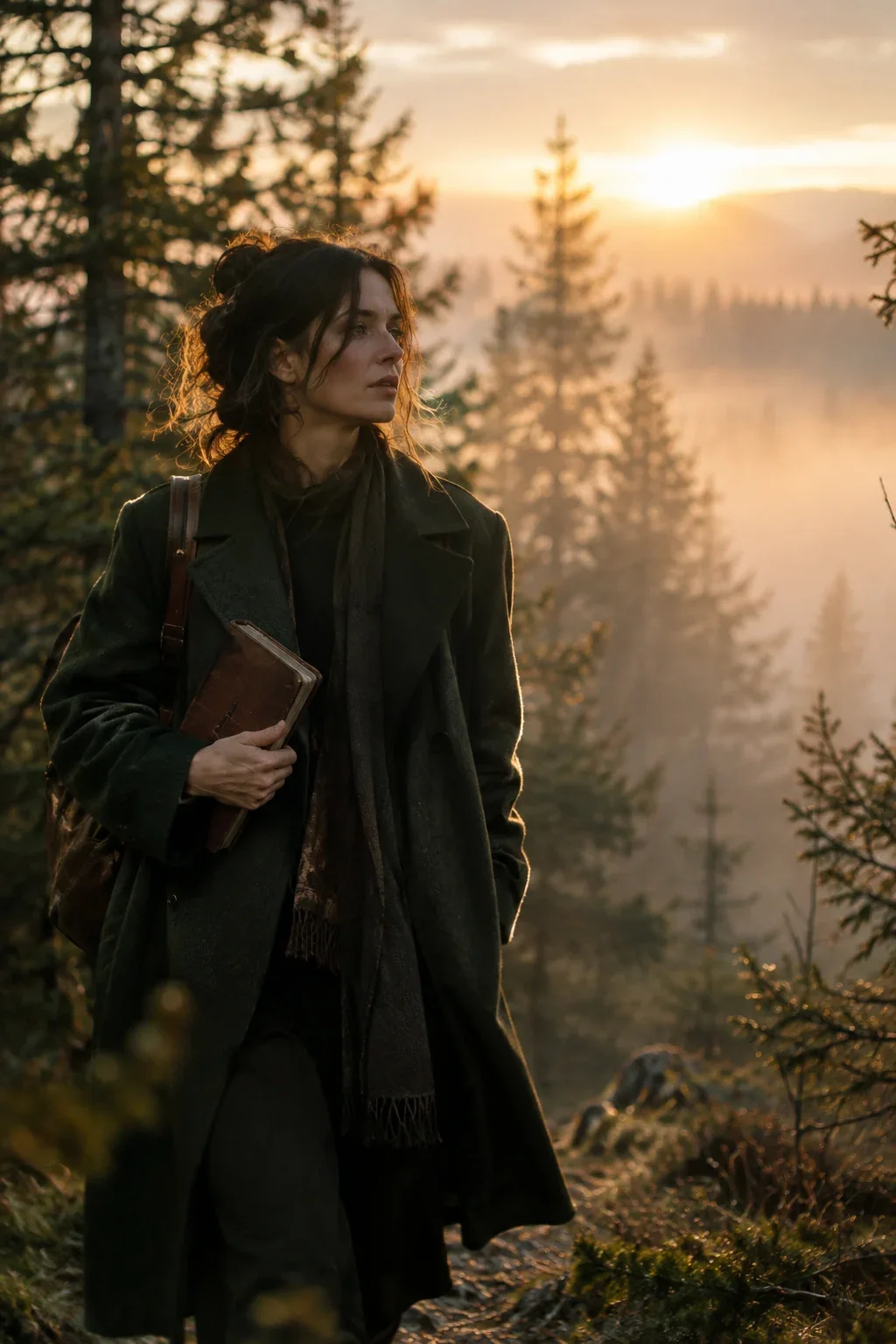
Short, clear prompts are often the best teachers, because you can see every decision. Woman with a journal in the misty forest is a good example: a few lines with subject, setting, light, lens and depth of field, which you can save as a pattern and reuse for many other scenes.

A thirty-minute setup, then ten minutes a week
Do the setup once, then keep the library alive with a tiny weekly habit. A library that is reviewed stays small and sharp.
- Minutes 0 to 5: Choose one home and create a folder or file called prompt-library with a blocks section.
- Minutes 5 to 10: Write your naming pattern and tag list at the top, so future you follows the same rules.
- Minutes 10 to 25: Find your five best prompts from old chats and notes. Add each with all fields, including a result image and a note.
- Minutes 25 to 30: Pull one reusable block out of those five, for example your best lighting description.
- Every week, 10 minutes: Add the prompts that worked, write notes on them, merge duplicates and delete anything you have not used in three months.
Back up the library the same way you back up photos. Months of notes on what works are hard to rebuild, and they are worth more than any single prompt in them.