Making AI Images Look Like Real Phone Photos
Why AI images look too polished and how to prompt the real habits of phone cameras: wide lenses, deep focus, HDR, flash, night mode and casual framing.
Visual AI Club7 min de lectura
Esta guía está escrita en inglés.
The giveaway in most AI lifestyle images is not a strange hand. It is that every frame looks lit by a crew and shot on an expensive portrait lens, while real life is mostly photographed on a phone held at arm's length. This guide teaches you the optical and software habits of phone cameras so you can prompt casual, believable snapshots on purpose.
Why polished is the default
Image models learn from huge numbers of captioned pictures, and the images that get described in detail tend to be professional ones: campaigns, stock photos, edited portraits. Words like portrait, cinematic or beautiful pull toward that world, with soft background blur, flawless skin and perfectly balanced light.
A phone photo is shaped by completely different constraints. A tiny sensor, a wide fixed lens, automatic exposure and heavy processing produce a recognizable look. If you describe those constraints, the model has a reason to abandon the studio polish. If you only add realistic, it usually just makes the studio polish sharper.
The optics of a phone, in plain words
Wide lens, close distance
The main camera on most phones has a field of view similar to a 24 to 28mm lens on a full-frame camera, and the front camera is similarly wide. To fill the frame with a face at that focal length, the phone has to be close, which slightly enlarges whatever is nearest the lens: the nose in a selfie, the hand holding a cup, the foreground table edge. A little of this distortion is a strong realism cue; the focal length guide explains why distance, not the lens alone, causes it.
Deep depth of field
Because the sensor is small and the lens is wide, almost everything from a meter away to the horizon stays acceptably sharp. Background blur in a phone photo is either absent or created by software in portrait mode, where it often makes small mistakes around hair and glasses. Asking for f/1.4 creamy bokeh immediately signals a large camera. For the optics behind this, see depth of field and bokeh.
Processing you can see
Phones merge several exposures to keep both a bright window and a dark room visible, which gives a slightly flat, evenly lit HDR look. They sharpen edges, smooth noise in low light, and sometimes brighten skin. These are not flaws to avoid; they are the fingerprint you are trying to reproduce.
Night mode is a good example. Instead of one dark, noisy frame, the phone blends a burst of frames into one bright image. The result often has lifted shadows, very smooth textures in dark areas, glowing street lights and a sky that looks bluer and brighter than it did to your eyes. Writing phone night mode, brightened shadows, smoothed noise, glowing lamps gives you that distinctive after-dark look.
Color balance is the other giveaway. Indoor bulbs are often around 2700 to 3000K, much warmer than daylight at around 5500K. When a room mixes both, the phone picks a compromise, so faces near the window look cool and the corner by the lamp looks orange. A prompt that mentions mixed daylight and warm lamp light, slightly uneven white balance captures this honestly.
Realistic portrait of a young man drinking coffee in a café, beautiful lighting, cinematic, shallow depth of field.
Casual smartphone photo of a young man drinking coffee in a busy café, taken by a friend across the table. Wide 26mm-equivalent view, everything in focus from the cup to the street outside, bright window slightly washed out, mild HDR look, slightly crooked framing.
Seven tells of a real phone snapshot
Add two or three of these at a time. Piling on all seven makes the image look like a parody of an amateur photo rather than an honest one.
- Imperfect framing. A slight tilt, a head too close to the edge, a stranger's shoulder entering the frame.
- Ordinary light. Overhead kitchen bulbs, a mix of daylight and warm lamps, mixed color temperatures that the phone did not fully correct.
- Everything in focus. Background details readable, including clutter, signs and other people.
- Flash when it is dark. Hard frontal light, bright faces, a dark falling-off background, a crisp shadow on the wall behind.
- Real surroundings. Charging cables, a half-eaten plate, a parked scooter. Life is not art-directed.
- Slight technical flaws. A little noise in shadows, a blown-out sky, a hint of motion in a moving hand.
- The phone itself. In mirror shots, the phone, the hand holding it and smudges on the mirror.
Name who took the picture. Taken by a friend across the table, selfie at arm's length and phone propped on a shelf with a timer each imply a different height, distance and angle, and the model fills those in surprisingly well.
Three phone scenarios to prompt
The mirror selfie
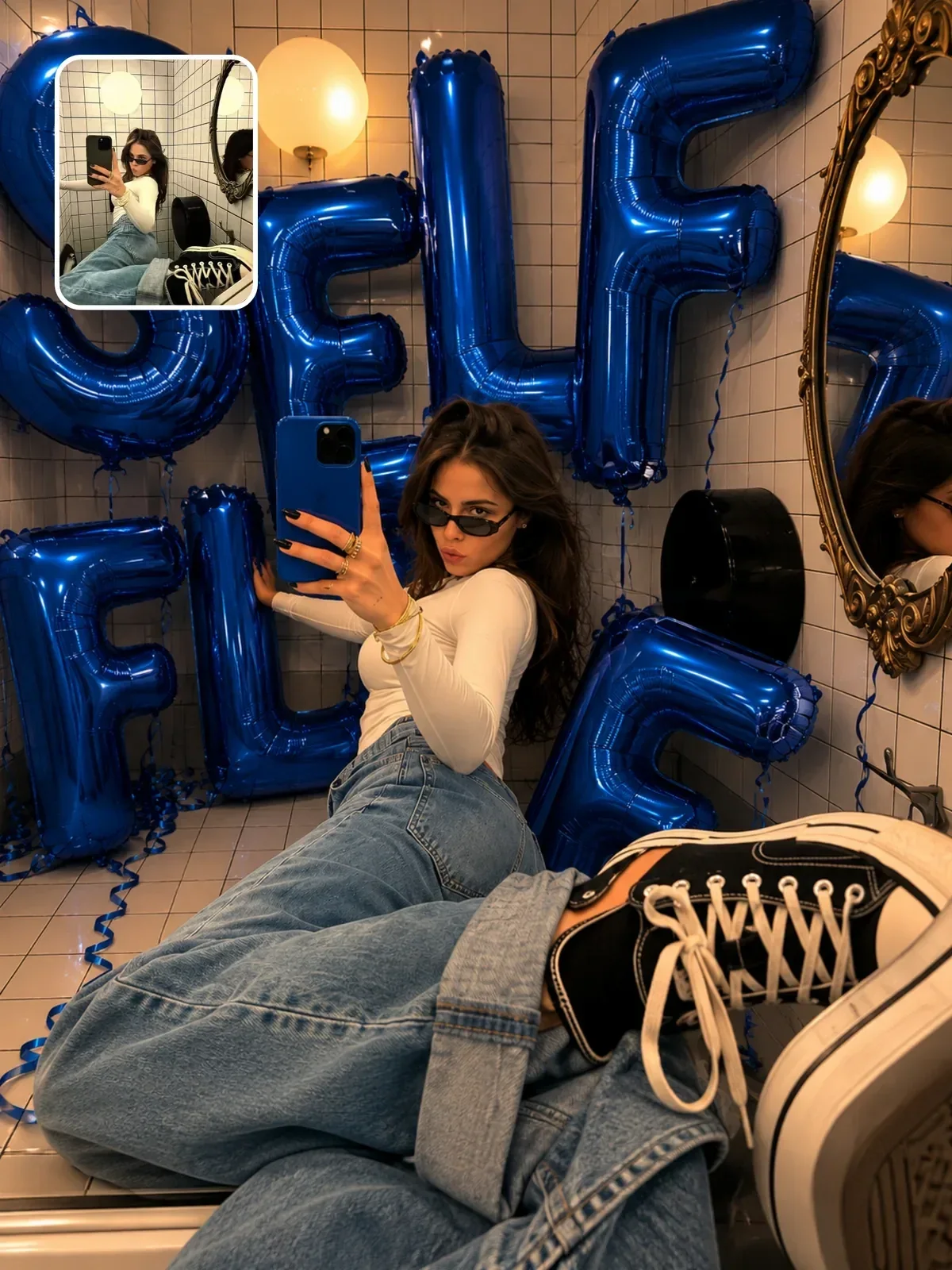
Mirror selfies are self-explaining: the phone is visible, so the viewer instantly accepts it as a phone photo. Describe the phone position (held at chest height, covering part of the face or not), the mirror (bathroom, elevator, full-length in a bedroom) and the light (usually overhead and slightly unflattering). The mirror selfie with balloon lettering shows how to keep the full-body mirror logic while adding a playful element.
The car selfie
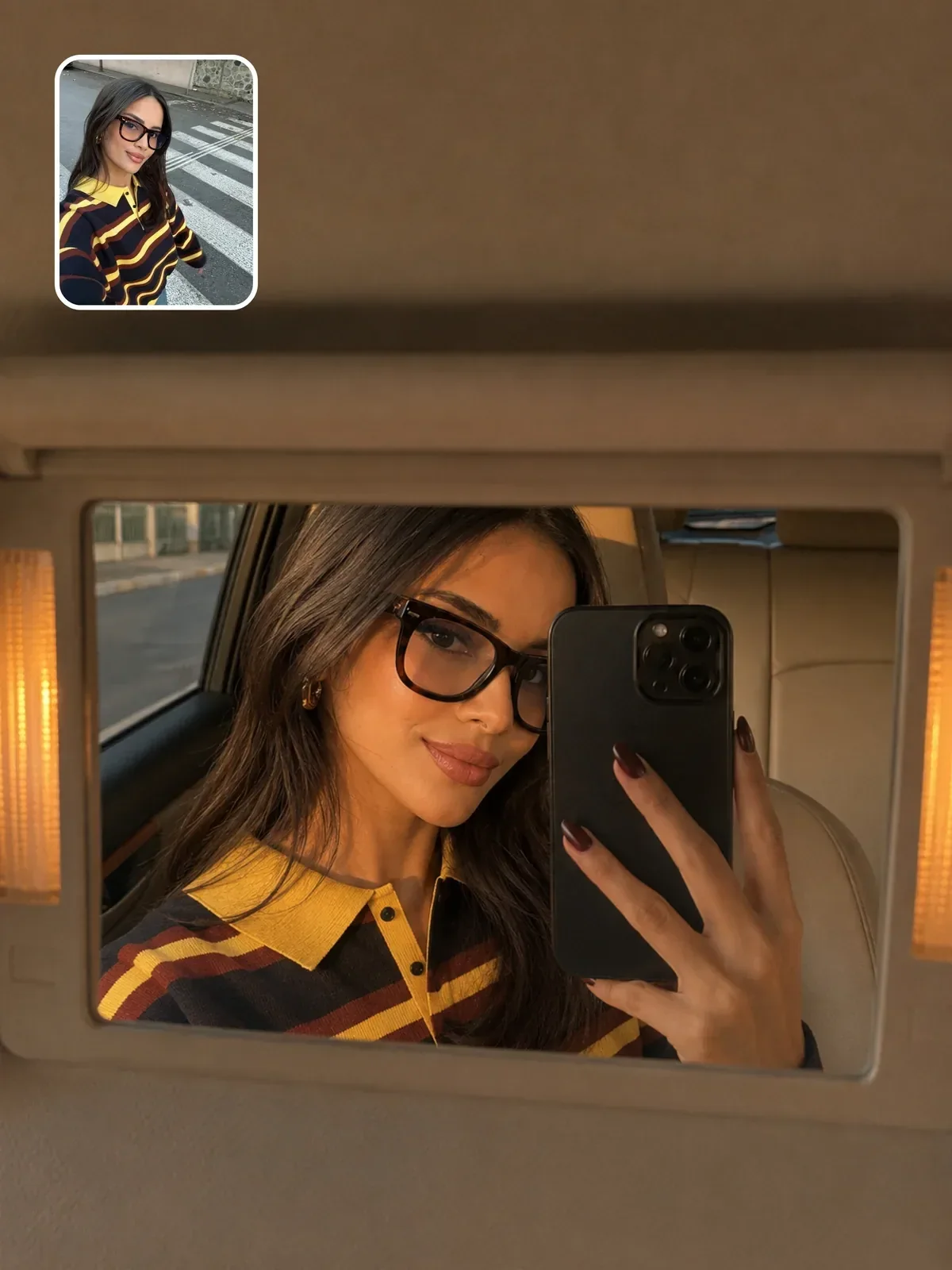
Inside a car, light comes mostly through the windshield and side windows, so it is soft, directional and often warm late in the day. The camera is very close, the wide lens bends the headrest and seat, and the background is a blur of window glare. The car vanity mirror selfie uses exactly these ingredients, which is why it reads as a real moment.

The night flash photo
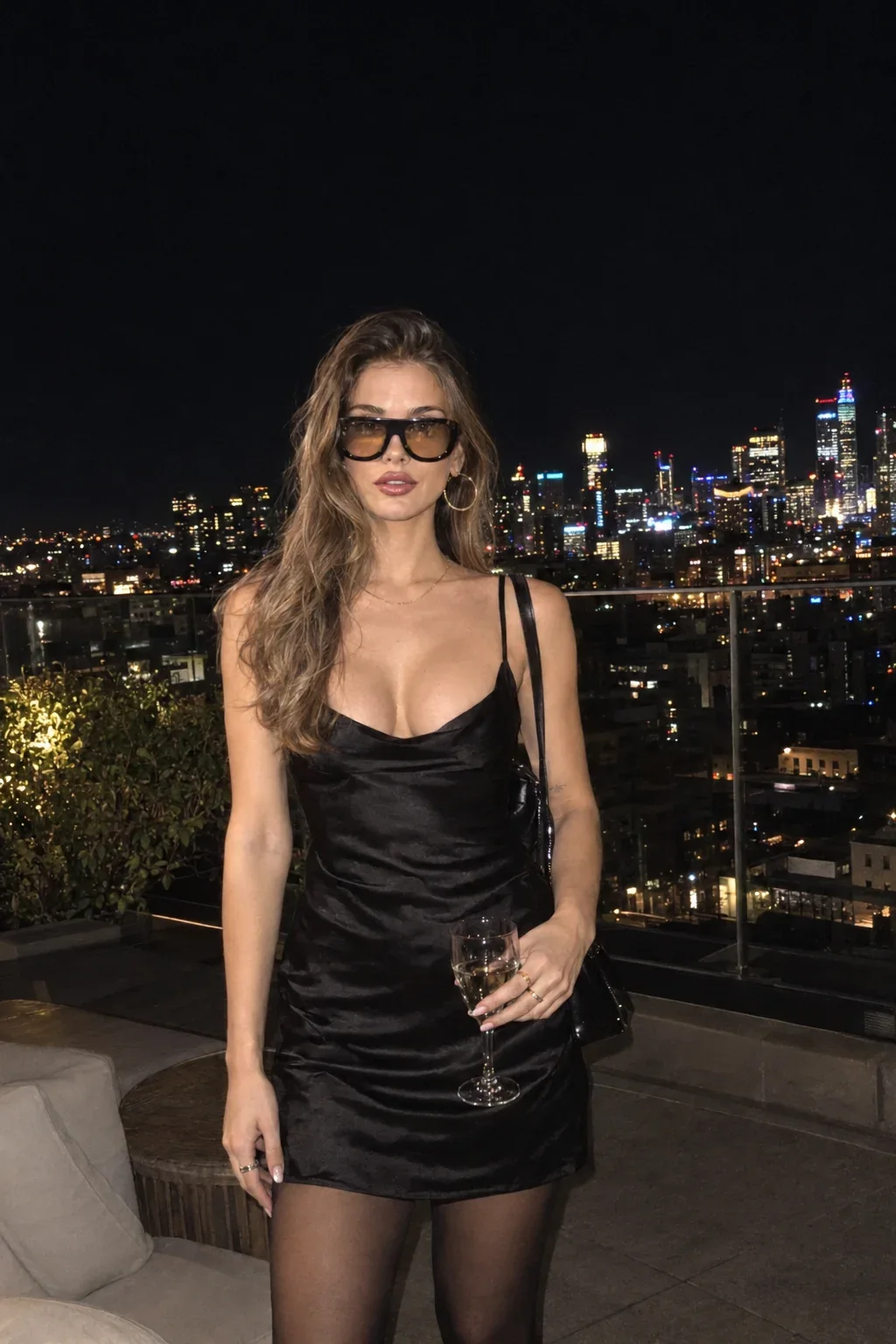
Built-in flash is small and sits next to the lens, so light hits faces straight on, flattens features, makes skin and eyes bright and leaves the background dark. Hair and shiny surfaces glint. It is one of the most nostalgic and believable looks you can prompt, and it suits friends at dinner, street food at night and party moments.
Night smartphone photo with direct flash of three friends sharing noodles at a street stall. Faces bright and a little shiny, sharp shadows on the tiled wall behind, background neon dim and slightly noisy, slight tilt, one friend mid-laugh with eyes half closed.
Words that quietly break realism
Some words carry the professional look with them. Keep them out of phone prompts unless you want that mix on purpose.
cinematic,editorial,masterpiece,award-winning: they invite dramatic grading and composition.8K,ultra-detailed: they often produce over-sharpened skin and hyperreal textures.85mm,f/1.2,bokeh: large-camera optics a phone cannot produce without software.golden hour glow,rim light: fine if natural, but they suggest planned lighting.perfect skin,flawless: real phone photos show pores, under-eye shadows and stray hairs.
Replace them with ordinary words: taken quickly, unedited, everyday, as posted to a group chat. Plain language tends to produce plain, credible images, which is exactly the goal. For a broader list of prompt pitfalls, see 12 common AI image mistakes.
Format matters: phones shoot in 4:3 and 9:16
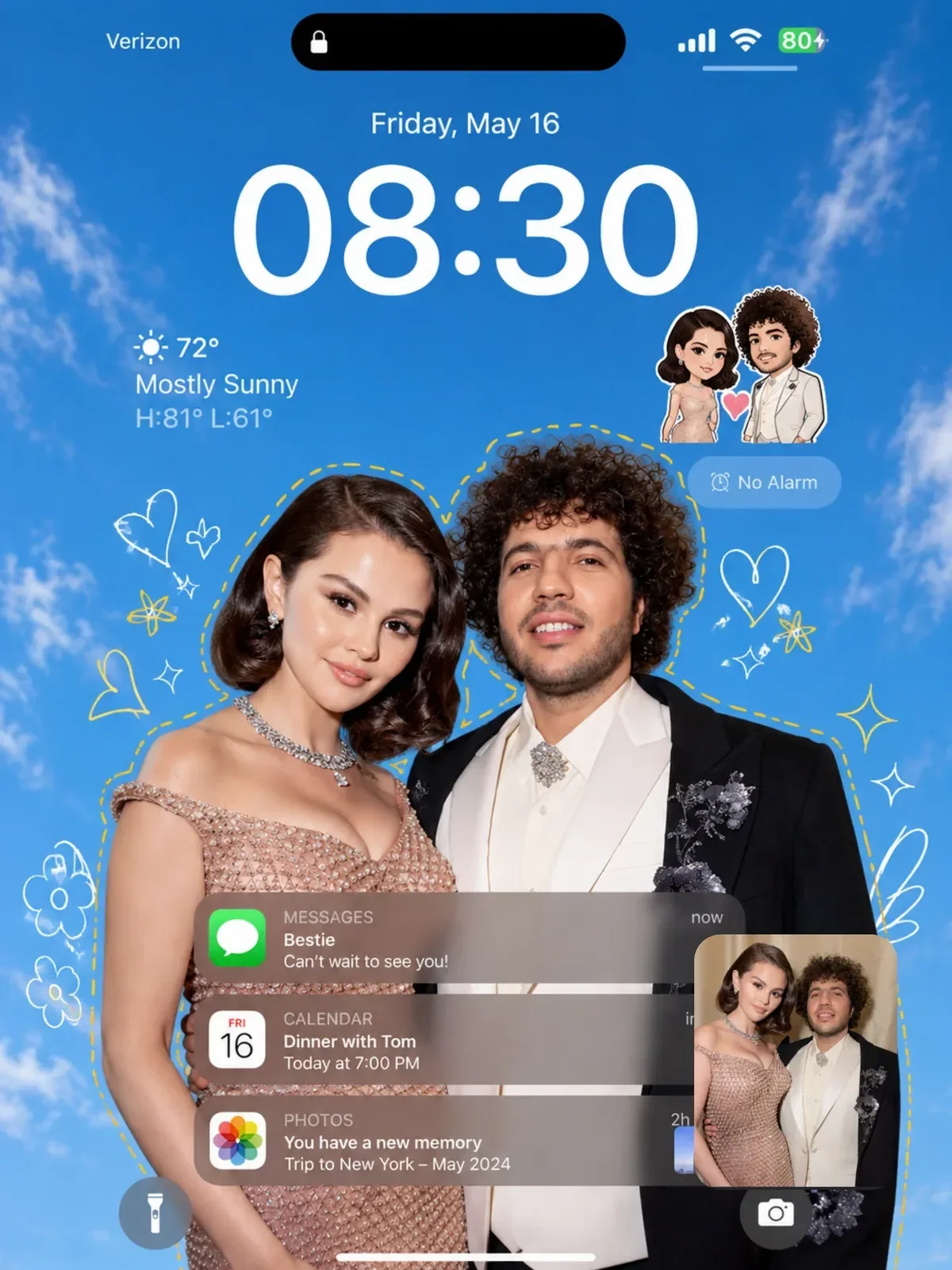
Phone cameras usually capture in 4:3 by default, and people crop to 9:16 for stories or 4:5 for feeds. A wide cinematic 21:9 frame instantly breaks the illusion. Choose 3:4 or 4:5 for posts and 9:16 for full-screen story frames. A lock screen wallpaper is a special case, where the composition must leave room at the top for the clock, as the couple street-style lock screen does. Aspect ratios for AI images covers each format.
Realistic does not mean deceptive
The better you get at phone realism, the more responsibility comes with it. Use your own photos or pictures of people who agreed, keep it to playful, everyday scenes, and never create images meant to pass as evidence of something that did not happen, such as a fake receipt, a staged accident or someone at a place they never visited. When you share realistic AI images publicly, label them as AI-generated. Using AI images responsibly covers consent and disclosure in more depth.
Try it: one moment, three cameras
Choose a simple everyday scene, like making breakfast in a small kitchen. Generate it three times, keeping the people and room the same while changing only the capture description.
- Main camera in daylight, taken by a friend from the doorway, everything in focus, slightly tilted.
- Front-camera selfie at arm's length, overhead bulb, wide-angle closeness, mild noise.
- Night version with direct phone flash, bright faces, dark window behind.
Compare the three with photos in your own camera roll. Wherever the AI version looks prettier than your real photos, that is the detail to dial back next time.