Camera Movements for AI Video: Dolly, Pan, Orbit and Crane
What dolly, truck, pan, tilt, orbit and crane moves do on screen, why parallax sells them, and how to word each so a video model performs one clean move.
Visual AI Club7 Min. Lesezeit
Dieser Ratgeber ist auf Englisch geschrieben.
A camera move is the cheapest way to make an AI clip feel directed instead of generated. By the end of this guide you will know the eight moves worth learning, what each one does to the picture, and the wording that gets a video model to perform one move cleanly instead of drifting through three.
Rotation or travel: the difference a model can see
Every camera move is either the camera turning on the spot or the camera physically traveling through space. Pan and tilt are rotations: the tripod head turns while the camera stays where it is. Dolly, truck, crane and orbit are travel: the whole camera changes position.
This matters because travel creates parallax and rotation barely does. When the camera slides sideways, a lamp post two meters away races across the frame while the hills behind it hardly move. When the camera only pans, near and far objects sweep across together, like a painted backdrop being slid past. Video models learned this from real footage, so when you name the move correctly, the depth of the scene tends to come out right as well.
If a generated dolly looks flat, add one object close to the lens: a doorframe, a railing, a potted plant at the edge of frame. It gives the model something to move quickly against the background, and the shot suddenly reads as three-dimensional.
The eight moves at a glance
| Move | What the camera does | What it tells the viewer |
|---|---|---|
| Dolly in (push-in) | Travels forward toward the subject | Attention, tension, a thought arriving |
| Dolly out (pull-out) | Travels backward away from the subject | Reveal, isolation, an ending |
| Truck (lateral track) | Slides left or right, parallel to the scene | Walking alongside, scanning a place |
| Pan | Rotates left or right on the spot | Following action, showing width |
| Tilt | Rotates up or down on the spot | Revealing height, sizing someone up |
| Orbit (arc) | Circles the subject at a steady distance | Importance, a moment held in time |
| Crane or pedestal | Rises or descends, sometimes while moving forward | Opening or closing a scene, scale |
| Handheld follow | Moves with a walking operator, with small natural shake | Presence, documentary realism |
Dolly and push-in: moving through depth
The push-in is the workhorse of AI video because models handle it reliably. The subject grows in frame, the background grows more slowly, and nothing has to rotate. Use it when a character realizes something, when a product should feel important, or simply to give a static scene some life.
Speed is the part most prompts leave out. A push of a meter or two over eight seconds feels contemplative; the same distance in two seconds feels like an alarm. Give the distance or the end framing, not just the direction: "starts as a wide shot from the doorway, ends on a medium shot of her from the waist up."
Dolly is not zoom
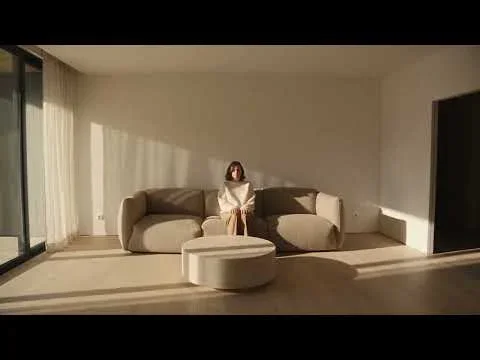
A zoom changes focal length without moving the camera, so perspective stays the same and the background simply magnifies. A dolly changes perspective: background objects shrink relative to the subject as the camera approaches. If you want the abrupt energy of a reality-TV crash zoom, write "zoom". If you want the physical feel of a camera traveling through a room, write "dolly push-in" and add "no zoom". The Sit down with me prompt saves a fast crash zoom for its final second precisely because that moment should feel like a jolt.
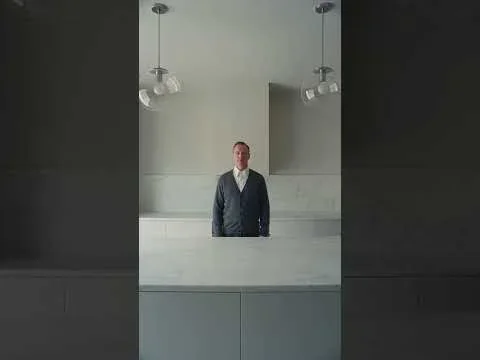
Camera moves closer to the man in the kitchen.
One continuous dolly push-in along the center line of the kitchen, from the entrance to about three meters from the man. Constant speed, no zoom, no shake, camera level at eye height.

That prompt is worth studying for one detail: it asks for a constant, mechanical speed with no ease in and no ease out. A dolly that never accelerates or slows feels slightly inhuman, which is exactly the unsettling mood a perfectly symmetrical kitchen calls for.
Pan and tilt: turning without traveling
Pans are where AI video most often breaks, because a fast pan exposes large areas of the scene the model must invent on the fly. Buildings bend and faces smear. Keep pans slow, a quarter turn over several seconds is plenty, and give them a reason: following a cyclist across the frame, or moving from a character to the thing they are looking at.
Tilts are best for revealing scale. Start on boots and tilt up to a face, or start on a hiker and tilt up to the cliff above. Name both ends of the tilt so the model knows where to stop.
- Motivated pan: "slow pan right following the tram as it passes, stopping when the tram leaves frame"
- Reveal tilt: "starts on the wet cobblestones, slow tilt up to the lit bakery window"
- Whip pan: use it only as a transition at the very end of a shot, and expect motion blur to hide detail on purpose
Truck and tracking: moving alongside
A truck slides the camera sideways, parallel to the subject. It is the classic walk-and-talk move and the best way to show a long environment such as a market street, a shoreline or a row of shopfronts. Because the subject stays at a constant distance, the model can keep the face stable while the background streams past.
A tracking or follow shot moves with the subject, usually from behind or in front. Cinematic Anime Scene follows a cyclist from behind down a hill, and the motion feels natural because camera and subject share one direction and one speed. Tell the model how far behind the camera travels and whether it keeps pace or slowly closes the gap.
Orbit and arc: circling a moment
An orbit circles the subject while keeping it centered. A full 360 is hard for current models, because the far side of the subject and the entire background must be invented, and identity tends to drift on the way around. A partial arc of 45 to 90 degrees is far more dependable and usually more elegant.
Describe the arc relative to the subject's body: "the camera arcs from behind his left shoulder to his front-left quarter over five seconds, then stops." The street scene in Blender and Claude Skill by VAIC does this while also tightening the lens, and it uses a blocked-out 3D animation as a motion reference to keep the arc precise. For that level of control, read blocking a scene in Blender before AI video.

Crane and pedestal: changing height
A crane shot lifts or lowers the camera, often combined with a push or pull. Rising up and back from a character to reveal the whole valley is one of the oldest closing shots in film; descending from rooftops to street level is a natural opening. A pedestal is the same vertical move without the swing, the camera rising straight up like an elevator.
Height changes how a subject feels. Starting at knee height makes a person loom; ending three or four meters up turns the same person into one figure in a landscape. Give both heights in everyday terms, such as "from waist height up to a second-floor window", because models picture familiar references more reliably than abstract numbers.
Six rules that keep moves clean
- One dominant move per shot. A push-in plus a pan plus a tilt in eight seconds reads as a nervous operator. If you need two moves, give each its own time range.
- Name the start and end framing. Wide to medium, behind to front-left quarter, ground level to rooftop. An endpoint stops the drift.
- State speed and easing. Slow, steady, constant, or with a gentle ease in and ease out. Easing is what makes a move feel operated by a person rather than a motor.
- Pair the move with a lens. A wide lens around 24mm exaggerates the speed of a dolly; a long lens of 85mm or more compresses distance and turns a truck into a smooth glide. The focal length guide explains why.
- Say what stays still. The horizon stays level, no roll, the subject keeps the same place in frame. Constraints are as useful as instructions.
- Lock the subject. Repeat the key identity details once at the end of the prompt so the person or object survives the move.
A ten-minute practice drill
Pick one simple scene, for example a person sitting at a café table by a window. Write it once, then generate four versions that change only the camera sentence: a slow push-in, a lateral truck past the window, a 60-degree arc, and a crane rising to show the street. Keep subject, light and duration identical.
Watch the four results side by side and note which move kept the face stable, which produced the most convincing depth, and which changed the mood most. That comparison teaches you more about your video model than any list of terms, and it leaves you with a tested camera line to reuse. When you are ready to string moves into a sequence, continue with writing a shot list for a 10–15 second AI video.