Thermal, CCTV and Broadcast Looks: Prompting Imaginary Camera Systems
Prompt images that look captured by thermal cameras, CCTV, sports broadcasts or LiDAR scanners: the sensor, lens, mount and overlay details that sell each look.
Visual AI Club7 min read
Every camera system leaves fingerprints. A security camera sees the world from a ceiling corner through a cheap wide lens; a thermal camera sees heat instead of light; a stadium camera sees a face from fifty meters away through a lens the size of a suitcase. Learn those fingerprints and you can make images that look like they came out of a machine instead of a photographer's hands.
This guide breaks each look into four parts you can describe: the sensor, the lens, where the camera is mounted, and what is drawn on top of the picture.
The four-part fingerprint
When a prompt only says CCTV footage, the model often produces a nice photo with a timestamp pasted in the corner. The image looks wrong because three of the four parts are missing. Describe all four and the look comes together.
| System | Sensor | Lens and mount | Overlay |
|---|---|---|---|
| Thermal | Heat, low resolution, false color | Handheld or mounted, often slightly wide | Temperature scale, crosshair, readouts |
| CCTV | Small, noisy, low dynamic range, heavy compression | Very wide, high in a corner, looking down | Timestamp, camera number, date |
| Sports broadcast | Clean, sharp, punchy video | Long telephoto from the stands or the pitch side | Score bug, channel logo, lower third |
| LiDAR scan | Points instead of pixels | Scanner position leaves shadows behind objects | Often none, or axis and scale markers |
Thermal imaging: a picture of heat
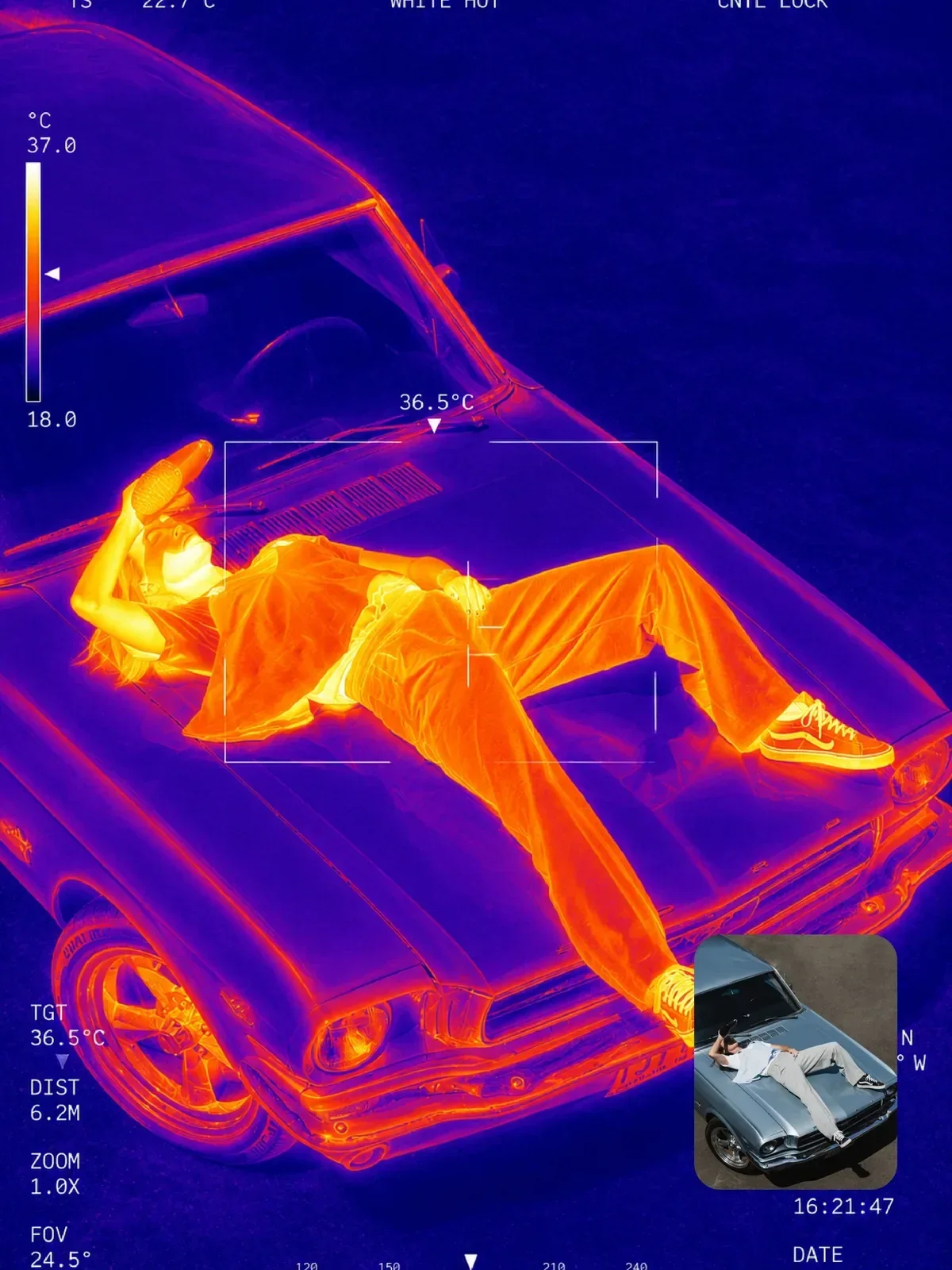
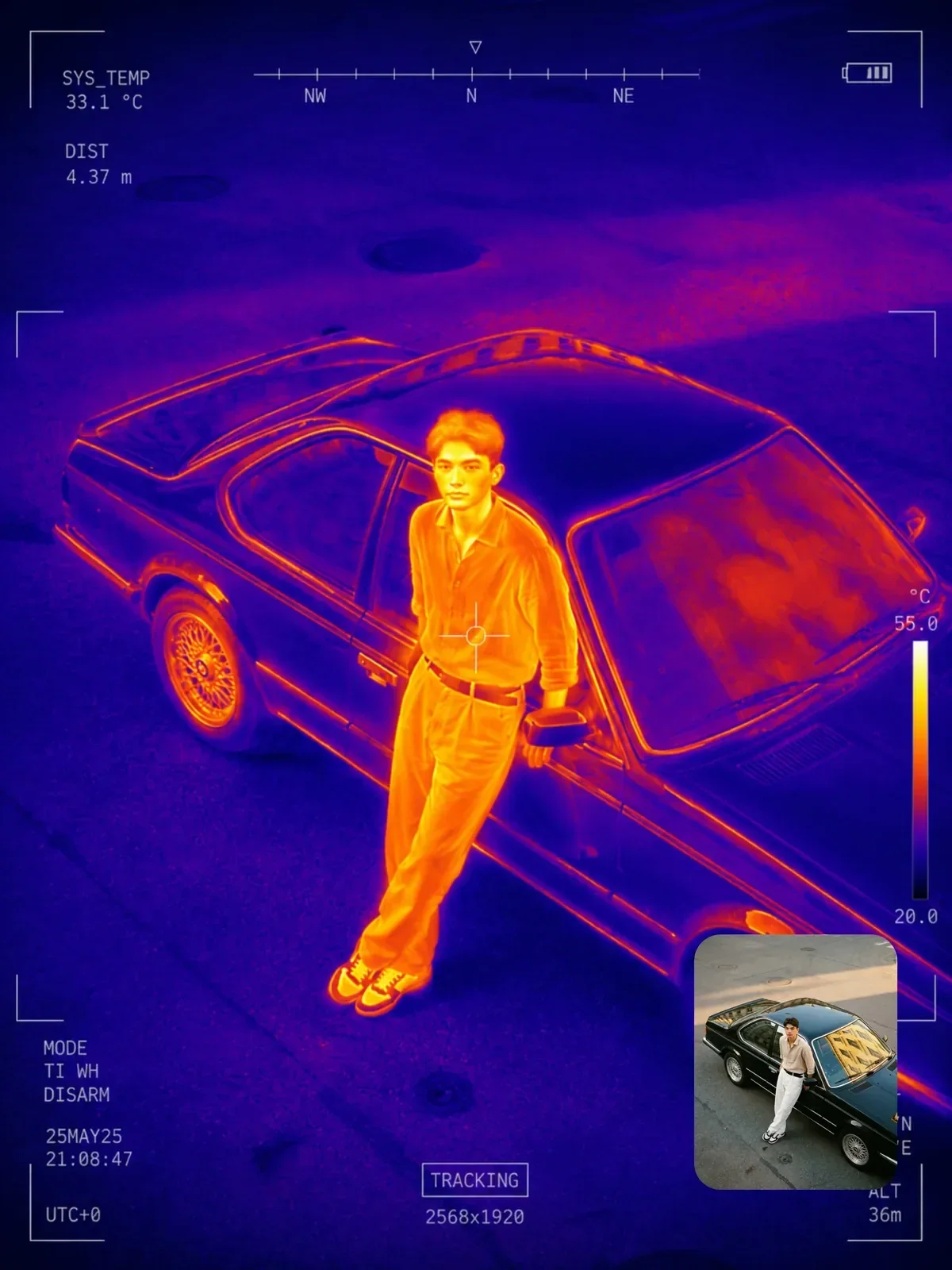
Thermal cameras measure long-wave infrared radiation, the heat every object gives off, not reflected light. That one fact explains almost everything about the look, and the details are what make a thermal image believable.
- Faces glow unevenly: the inner corners of the eyes and the forehead are usually the warmest; the nose, ears and hair are cooler.
- Glass is a wall: ordinary glass blocks long-wave infrared, so you cannot see through windows, and eyeglasses look like dark cool patches. Glass and polished metal can even reflect heat like a mirror.
- Clothing tells a story: fabric is warm where it touches skin and cooler where it hangs loose.
- Heat lingers: a handprint on a wall or a warm patch on a chair someone just left stays visible for a while.
- Low resolution: many thermal sensors have far fewer pixels than a phone camera, so edges are soft and fine detail like hair strands disappears.
Choose a color palette
Thermal cameras show temperature as false color, and the palette is a setting the operator chooses. White-hot shows warm things as white on a dark background. Black-hot is the reverse. Ironbow runs from black through purple and orange to yellow-white, the classic look people picture. Rainbow uses the full spectrum and shows small temperature differences clearly but looks busy. Name one, and say the coldest areas are deep blue or black.
Thermal camera image in ironbow palette of a man pouring coffee in a kitchen at night. His face and hands glow yellow-white, the coffee stream bright orange, the window behind him a flat dark purple with no view through it. Soft low-resolution edges, a temperature scale bar on the right side.

CCTV: a cheap camera in a high corner
Security cameras are designed to cover as much space as possible, not to make beautiful pictures. That gives them a very specific look.
Mount and lens
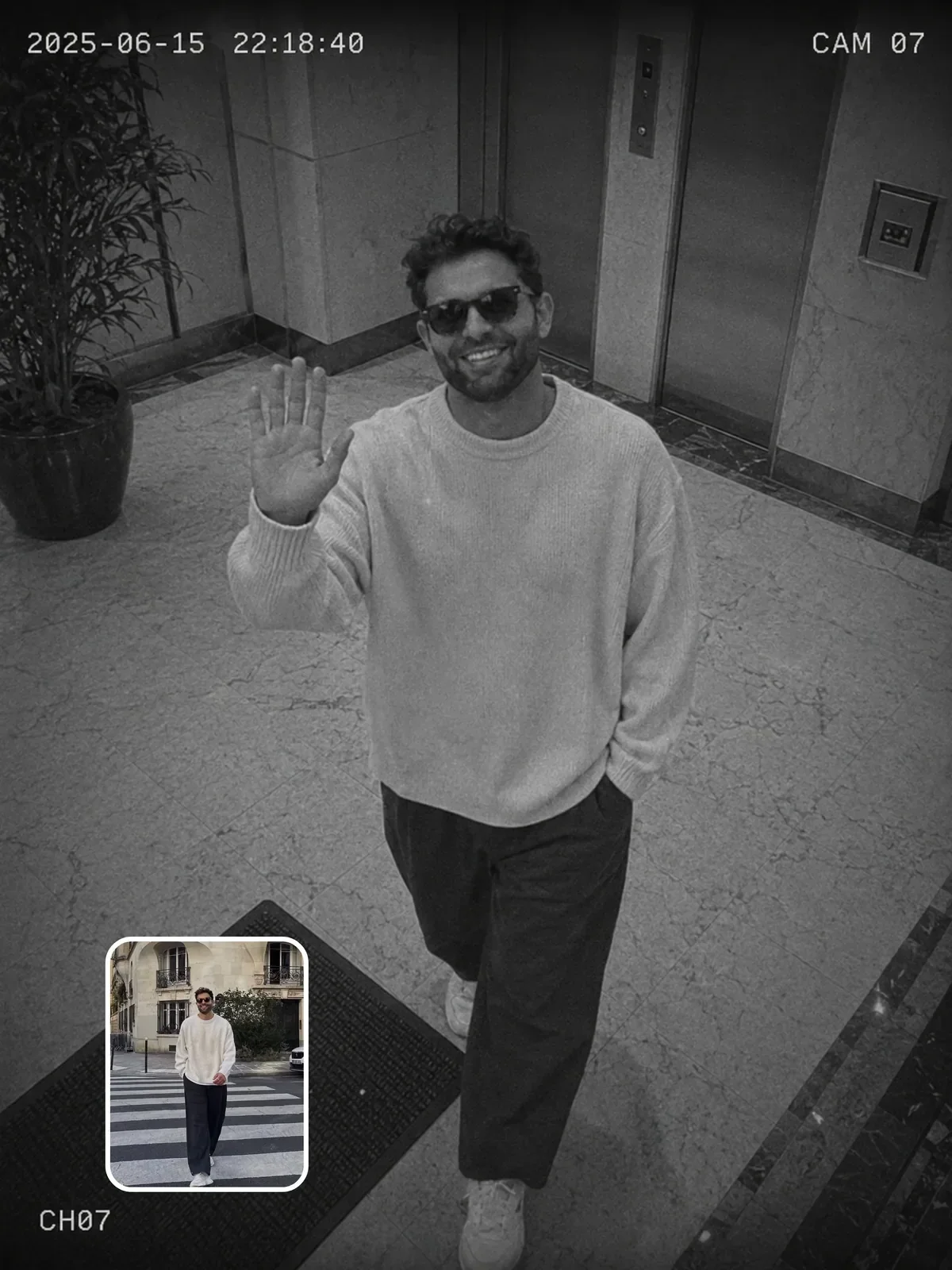
They hang high, usually near the ceiling or on a pole, and look down at a steep angle. The lens is very wide, which bends straight lines near the edges of the frame into curves. This is barrel distortion. People walking under the camera look short, with big heads and small feet, because of the angle. Describe the height and the angle, not just the word CCTV. The camera angles guide explains how a steep high angle changes the way a figure reads.
Sensor and recording
- Low dynamic range: bright windows blow out to white, shadows block up to black.
- Noise and smeared detail in dim areas, plus blocky compression in busy parts of the image.
- Slightly wrong color, often a green or magenta cast under fluorescent light.
- At night, infrared mode switches the image to black and white; skin looks pale and smooth, and eyes may look oddly bright.
- Motion blur on anyone moving, because these cameras often record at low frame rates and slow shutter speeds in dim places.
Overlay
Most systems burn in a date and time and a camera label, often in a plain white or yellow monospaced font in a corner. Keep it simple and slightly crude. Fancy graphics break the illusion.
Put something ordinary in the frame that a real security camera would see: a fire extinguisher, an exit sign, a shelf of products, a parked car. Empty, designed spaces look like a film set.
Sports broadcast: the long lens
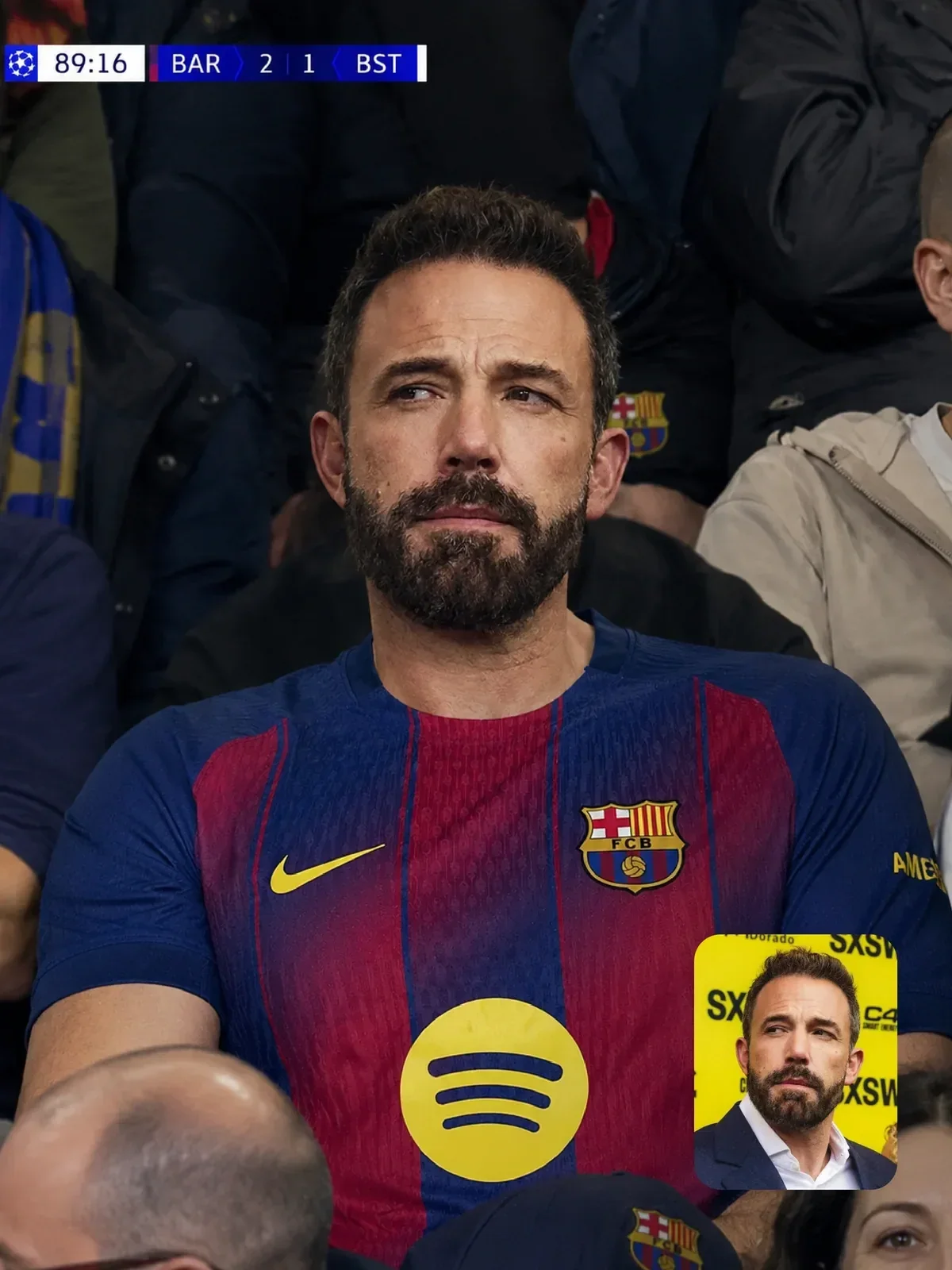
Television sports cameras use enormous zoom lenses from fixed positions in the stands and along the field. When they cut to a fan in the crowd, the shot has a distinctive feel: the person is sharp, but the crowd in front and behind is compressed into a soft wall of color, and the angle comes slightly from above and to the side.
That compression is a property of long focal lengths seen from far away: background objects look closer and larger relative to the subject than they would with a normal lens. The focal length guide explains why. In a prompt, mention telephoto compression, a shallow band of focus on one fan, and a slightly raised angle.
- Image quality: clean, bright, sharp video with strong contrast and saturated team colors.
- Motion: a little blur on waving flags and hands, typical of video shot at normal broadcast shutter speeds.
- Graphics: a score bug with team abbreviations, score and match clock in a top corner; a channel logo; sometimes a lower-third caption.
- Framing: slightly off-center, as if a camera operator just found the face.
Invent the team abbreviations and channel logo rather than copying a real broadcaster's graphics. The look comes from the layout and placement, not from a specific brand.

LiDAR and point clouds
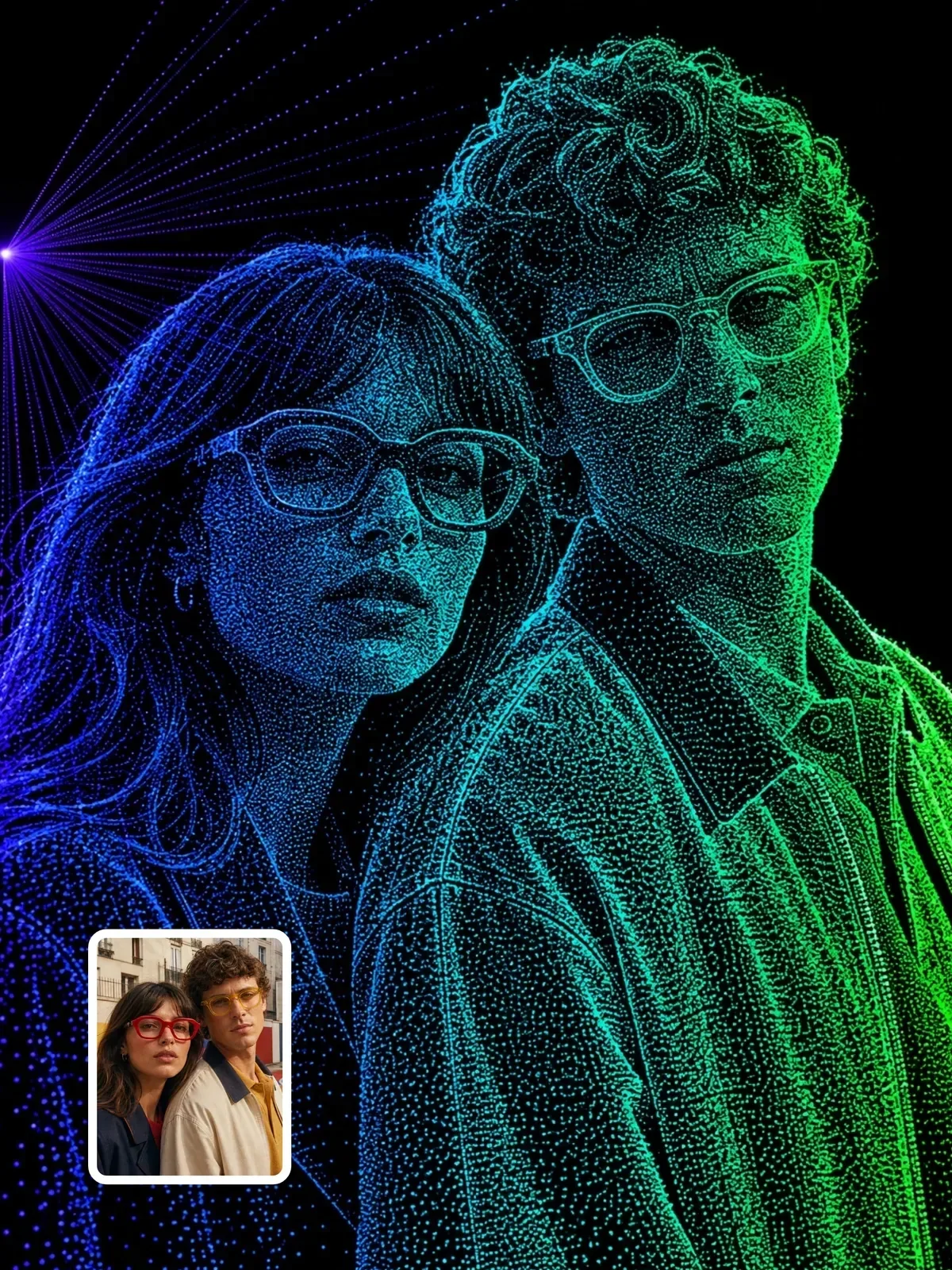
A LiDAR scanner fires laser pulses and records where they bounce back, building a cloud of individual points in 3D space. Visualized on screen, the scene becomes thousands of glowing dots on black, often colored by height, distance or reflection strength.
The convincing detail is what is missing. A scanner only records surfaces it can see, so there are empty shadows behind objects, gaps where the laser could not reach, and denser points near the scanner than far away. You can also ask for faint scan lines, the rings or rows of points that some scanners leave on the ground. Say that nothing is solid: no surfaces, only points.
Color mapping is a choice, just like a thermal palette. Coloring points by height gives a rainbow gradient from the floor to the ceiling; coloring by distance fades from bright near the scanner to dark far away; coloring by intensity shows how reflective each surface is, so road markings and signs glow. Pick one and say it, otherwise the model mixes them into a random neon look.
Other systems worth trying
- Night-vision goggles: green-tinted image intensifier look, heavy grain, a circular vignette, bright sources blooming into halos.
- Dashcam: wide lens from behind a windshield, a little reflection of the dashboard on the glass, speed and date overlay.
- Body camera: very wide, chest height, bouncing with each step, fisheye edges.
- Microscope or endoscope: circular frame, extreme magnification, very shallow focus.
- Weather satellite: top-down, grayscale or false color, coastlines and cloud bands.
Using these looks responsibly
Surveillance and broadcast styles borrow the authority of real footage, so treat them with care. Use them for clearly creative work: a fun stadium photo of yourself, a sci-fi poster, a short film. Never create fake footage that appears to show a real person doing something, never place someone in a surveillance scene without their consent, and label the image as AI-made when you share it.
The guide on using AI images responsibly goes into consent and disclosure in more detail.
Design your own imaginary camera
Once you think in fingerprints, you can invent systems that do not exist: a camera on a delivery drone, a robot vacuum's view of a living room, a 1980s museum security monitor. Fill in the four parts and you have a prompt.
- Sensor: what does it record, and how good is it? Resolution, noise, color or false color, dynamic range.
- Lens: wide or long, distortion, focus behavior.
- Mount: where is it, how high, is it moving, what does it look down or up at?
- Overlay: what does the machine write on the image, and in what font and color?
- Scene: one ordinary activity that this camera would plausibly capture.
Try it with a robot vacuum: very low mount, a few centimeters off the floor, a wide lens, sofa legs towering like columns, a cat's paw in extreme close-up, and a small battery icon in the corner. Then change one part at a time and see how much each one shapes the result.