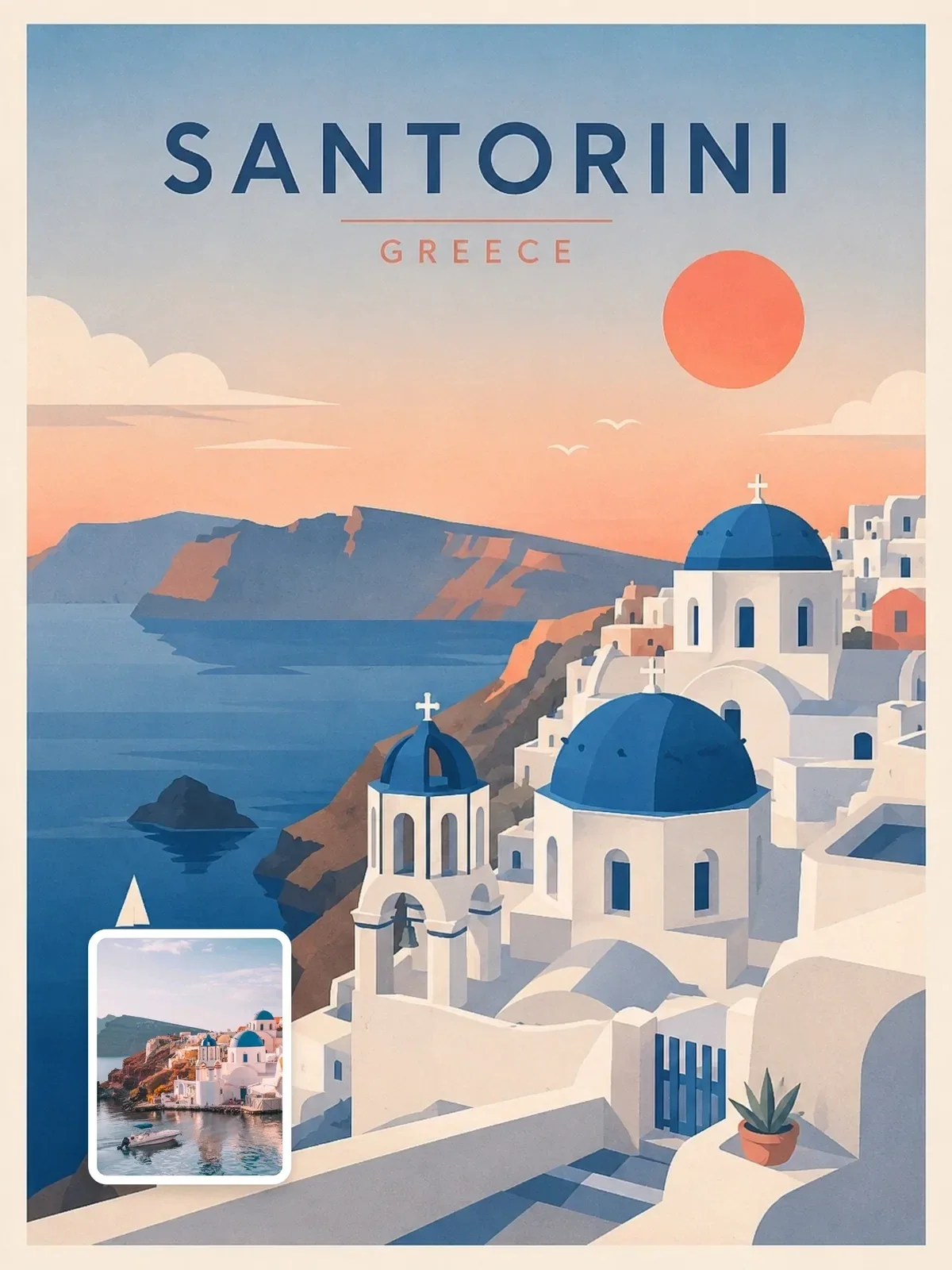

Create a premium editorial travel illustration of {{Destination}}, {{Country Region}} using a minimal layered cutout illustration style. The result should feel like a premium Scandinavian editorial po…
FORMAT LOCK
Vertical 3:4 poster composition. Strong foreground, midground, and background separation. Large open breathing space. Refined negative space. Balanced editorial composition. Minimal object density. Do…
STYLEPrompt guide
About this ChatGPT image prompt
Minimal layered-cutout travel poster is a ChatGPT image prompt made with ChatGPT image generation, shared by @visualaiclub on Visual AI Club. It has 7 editable fields, so you can reuse it with your own details.
- {{Destination}}
- {{Country Region}}
- {{Natural Feature Waterfront Landscape}}
- {{Iconic Landmark Architectural Anchor}}
- {{Distant Natural Feature Mountain Skyline}}
- {{Primary Color}}
- {{Secondary Color}}
Tips for better results
- Keep the core subject and composition, then change one detail at a time: light, lens, mood or color.
- Generate a few variations and compare them side by side before refining the wording.
- If the result drifts, move the most important words to the start of the prompt.
How to use this prompt
1. Copy the prompt: Fill in {{Destination}}, {{Country Region}}, {{Natural Feature Waterfront Landscape}}, {{Iconic Landmark Architectural Anchor}}, {{Distant Natural Feature Mountain Skyline}}, {{Primary Color}}, {{Secondary Color}}, then press Copy. The full prompt goes to your clipboard with your values in place.
2. Open ChatGPT: Paste into a new ChatGPT conversation.
3. Generate and refine: Use the same settings for a close match (aspect ratio 3:4), then adjust one detail at a time.
Learn AI Academy
Learn AI with Visual AI Club
Copy prompts that work, then learn why they work. The Learn AI Academy teaches AI image and AI video creation step by step: writing prompts, light and camera, consistent characters, product shots and directing a short film with Seedance.
Open the Learn AI Academy